Help Center

EN

Go to Main Page

Help Center

BEPRO Space

BEPRO Editor

Cerberus

Login & Signup

Signup

Login

Reset password

Team

Join a team

Create a new team

Invite team members

Reset team invitation link

Manage team members

Viewer permission setting

Schedule

Create a match event

Create a training event

Upload video to event

Set Match Time

Schedule filters

Video

BEPRO Video Player

Full Match & Training Videos

Event Clips

Match Highlights

Player Highlights

Data

Event Data

Physical Data

Event Definitions

Team Data

Player Data

Request Match Analysis

What is analysis request?

Register Lineup

Register Formation

Library

What is Library?

Save videos in library

Share folder

Custom order

Messenger

What is messenger?

Create a channel

Create a post

Comment on post videos

BEPRO Space

Basic

Admin Only

Create a new team

Let's learn how to create a new team

If you are a staff member or administrator of a team, you can create a team.

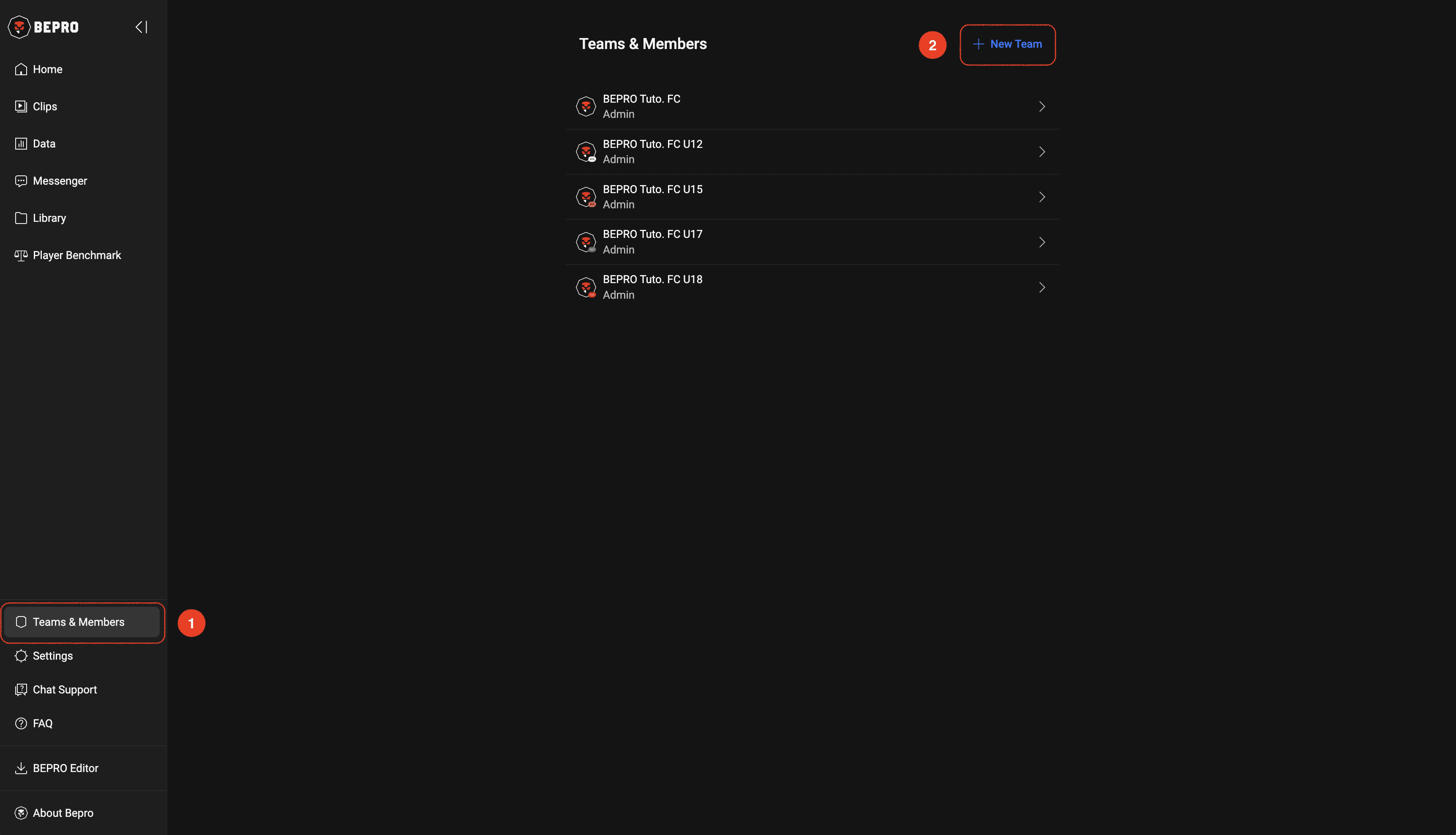
First, click on the Team & Members menu in the side menu, then click the New Team button in the upper right corner.
‍

__wf_reserved_inherit

‍

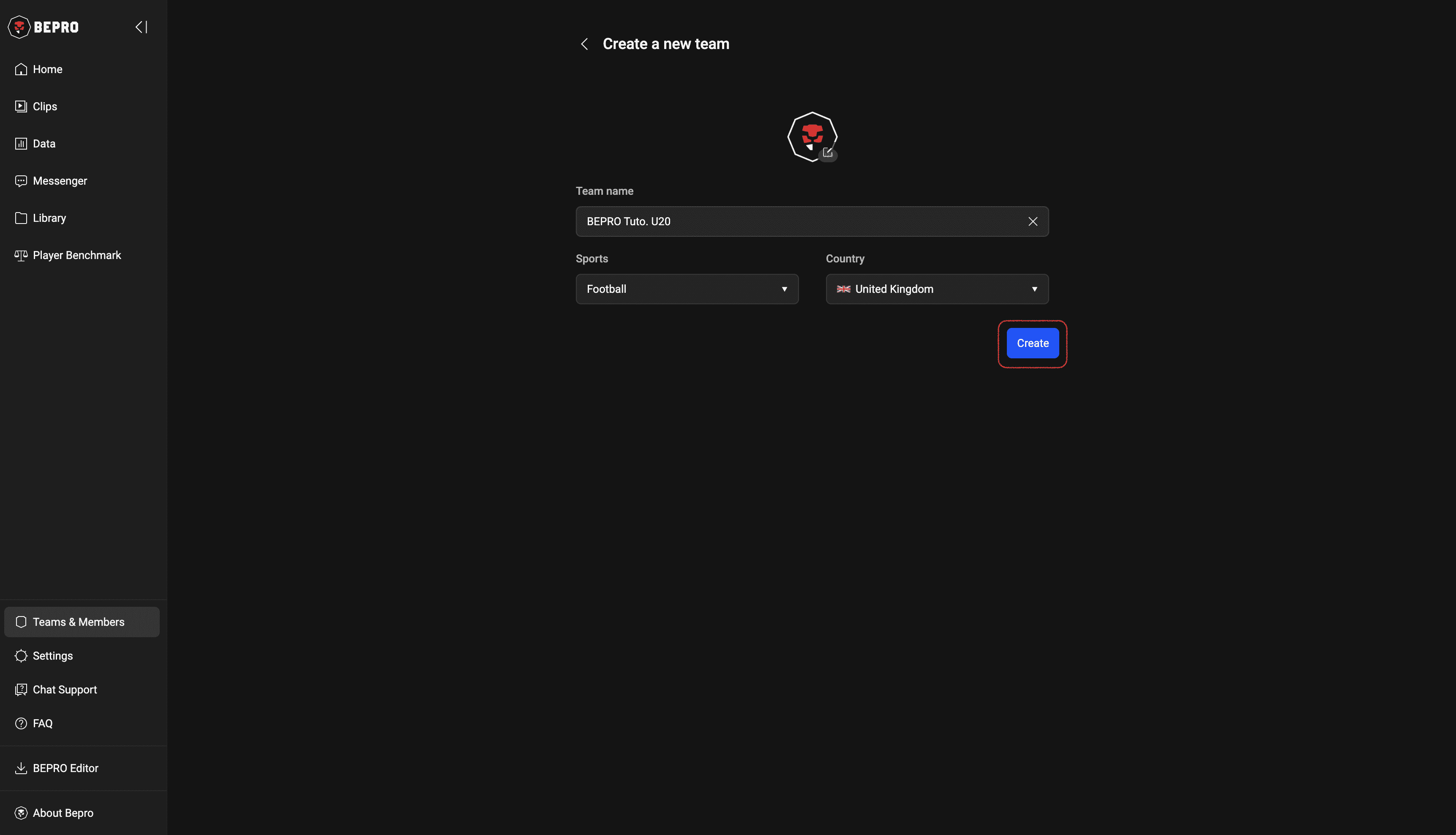
Once you have entered the team creation page, enter the emblem, team name, sports category, and country information, then press the create button
‍

__wf_reserved_inherit

‍

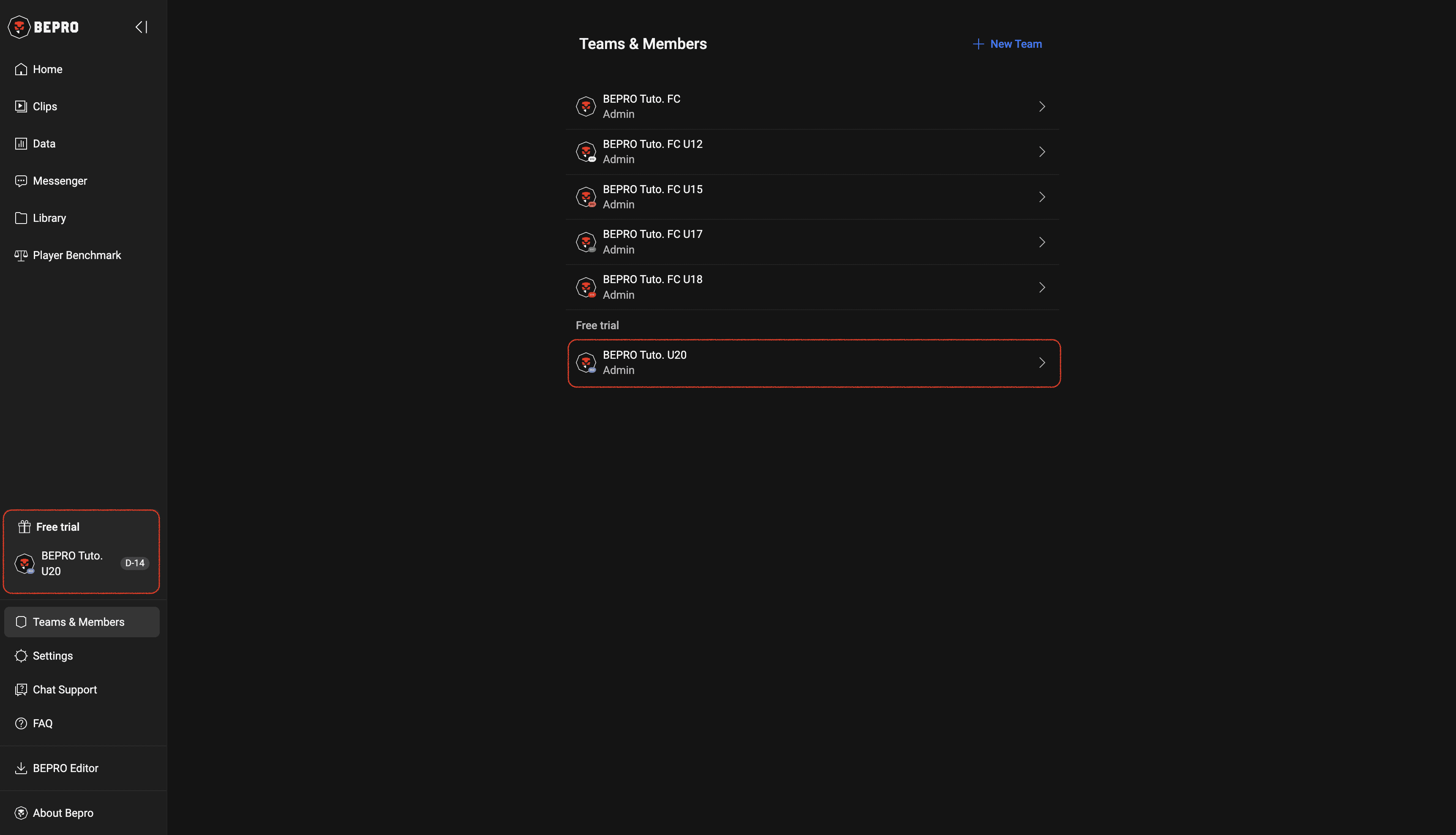
When team creation is complete, you can see the team you just created added to your team list.

Immediately after the team is added, you will be given a 14-day free trial, during which you can use all the basic package features for free.
‍

__wf_reserved_inherit

‹ Reset password

Invite team members ›